

PrestaShop Upgrade Guide: Prevent Downtime with Shop Doctor Module
Don’t Blindly Upgrade: Protect Your Store with the PrestaShop Shop Doctor Module
Upgrading a PrestaShop store can often feel like a high-stakes gamble. On the surface, your e-commerce site might look completely fine. But underneath the hood, hidden conflicts could be waiting to trigger the dreaded “white screen of death,” break your checkout flow, or lock you out of your own back office.
Whether you are preparing for the major leap to PrestaShop 9, applying incremental updates, or trying to diagnose sudden back-office errors, relying on guesswork is a recipe for expensive downtime.
Enter the Shop Doctor – Shop Files Integrity Tracker, Compatibility and Recovery Toolkit Module. This all-in-one health, upgrade-readiness, and emergency recovery tool is designed to diagnose your store’s vulnerabilities before they turn into critical business emergencies.
You can grab your copy directly from the official PrestaShop Addons Marketplace.
Why PrestaShop Upgrades Fail (and How Shop Doctor Fixes It)
A PrestaShop upgrade rarely fails without reason. Typically, problems stem from a mix of legacy elements and environment mismatches:
- Outdated Module Code: Hidden PHP 8+ or PrestaShop 9 incompatibilities, undeclared properties, and deprecated methods.
- Unsafe Overrides: Custom theme or module overrides that clash with new core files.
- Server Configuration Mismatches: Outdated PHP versions, missing PHP extensions, or restrictive execution time/memory limits.
- Core File Modifications: Accidental or undocumented changes to core files that get overwritten during updates.
Shop Doctor acts as your automated technical consultant. It scans your server, modules, themes, core files, overrides, and configurations to generate structured, actionable diagnoses with clear recommendations.
Core Features: Your Ultimate Store Health Toolkit
Shop Doctor isn’t just a basic report generator—it is a deeply integrated maintenance and recovery suite. Here is a breakdown of what it brings to your back office:
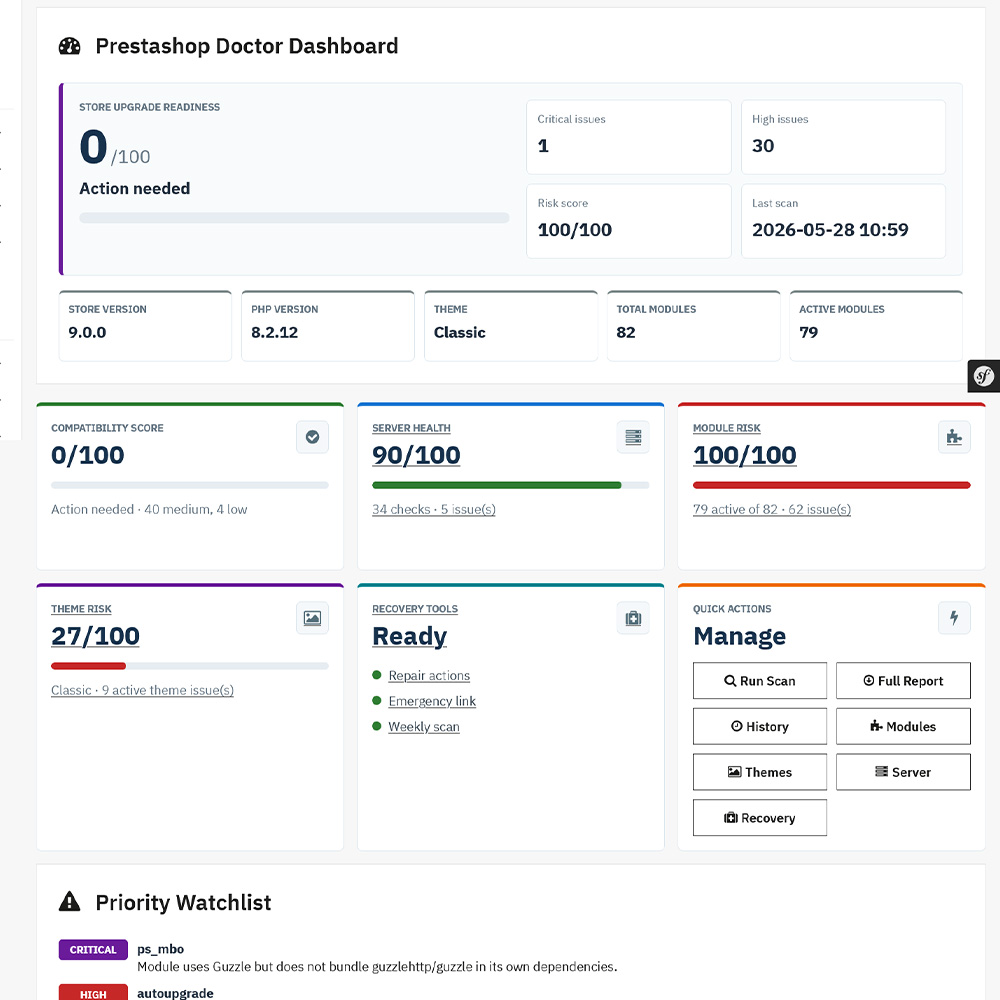
1. Centralized Doctor Dashboard
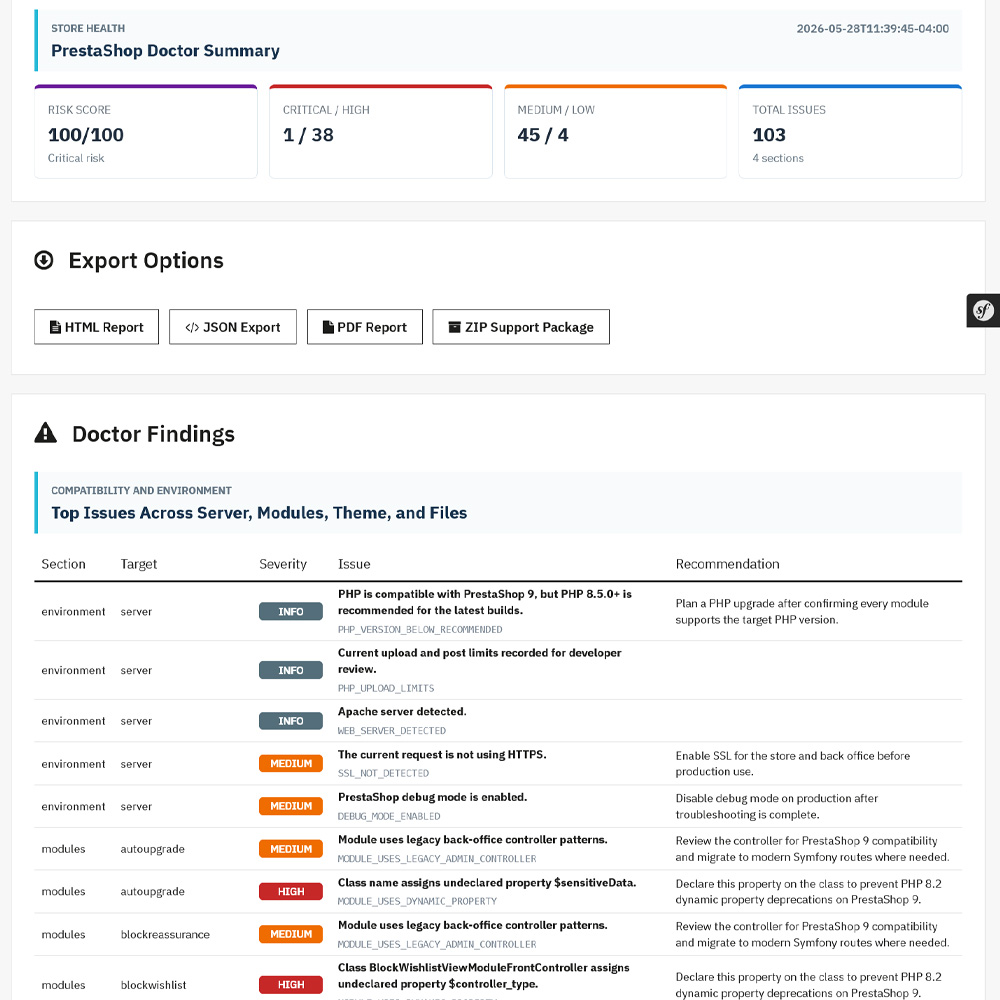
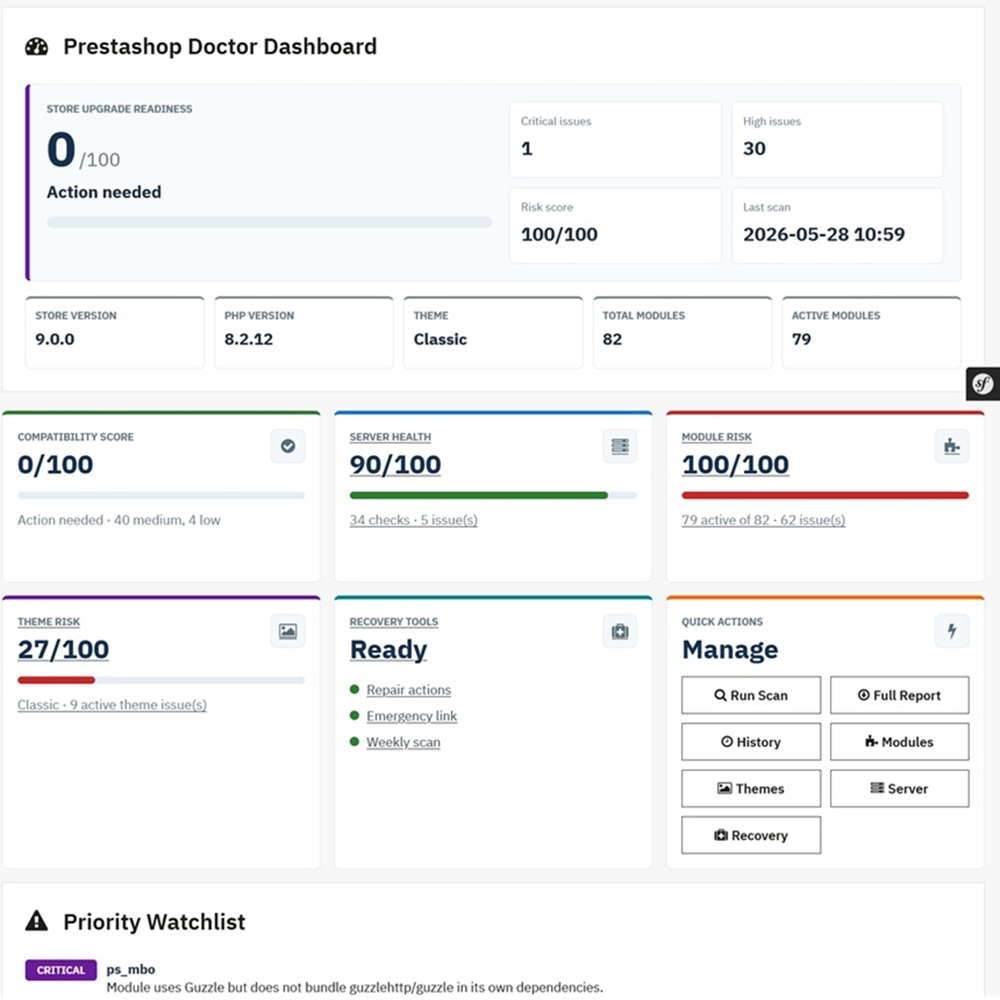
Get an immediate visual overview of your store’s general health. The dashboard highlights upgrade readiness, server health, module and theme risk levels, latest errors, and high-priority issues that require immediate attention.
2. Server Compatibility Report
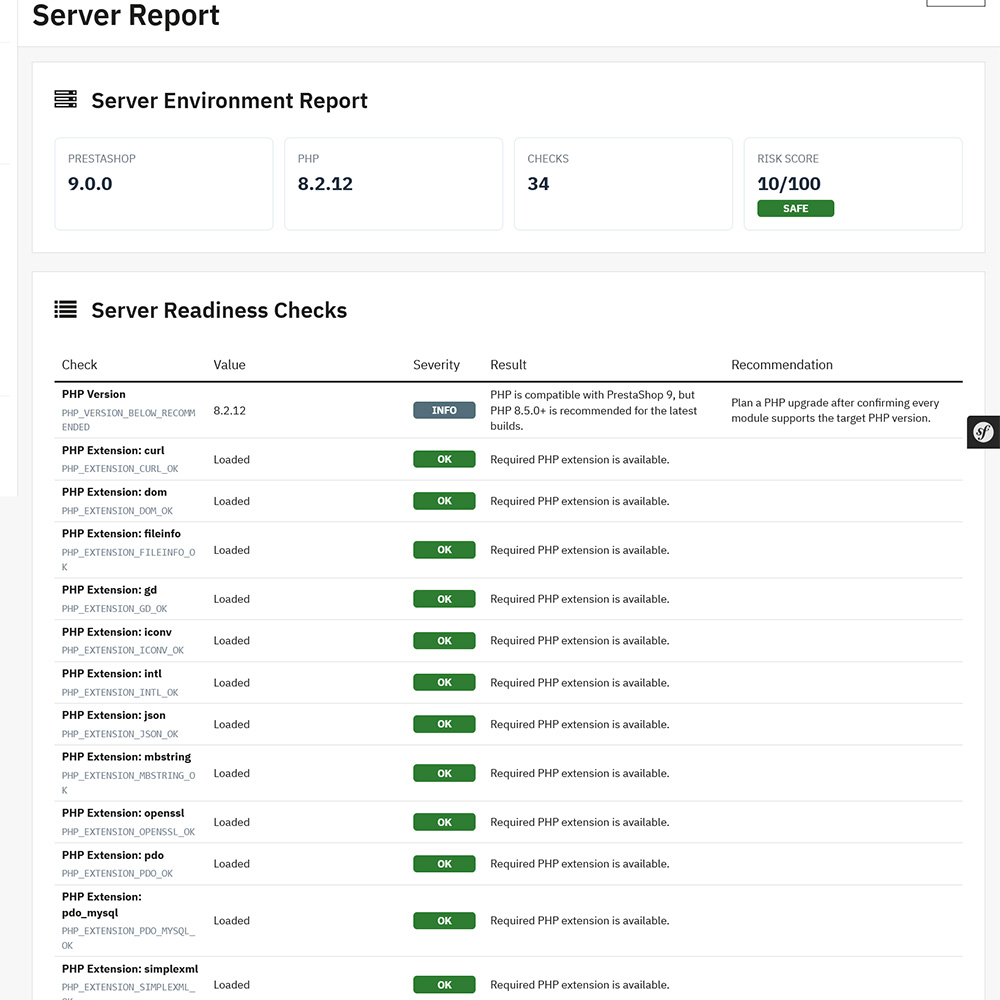
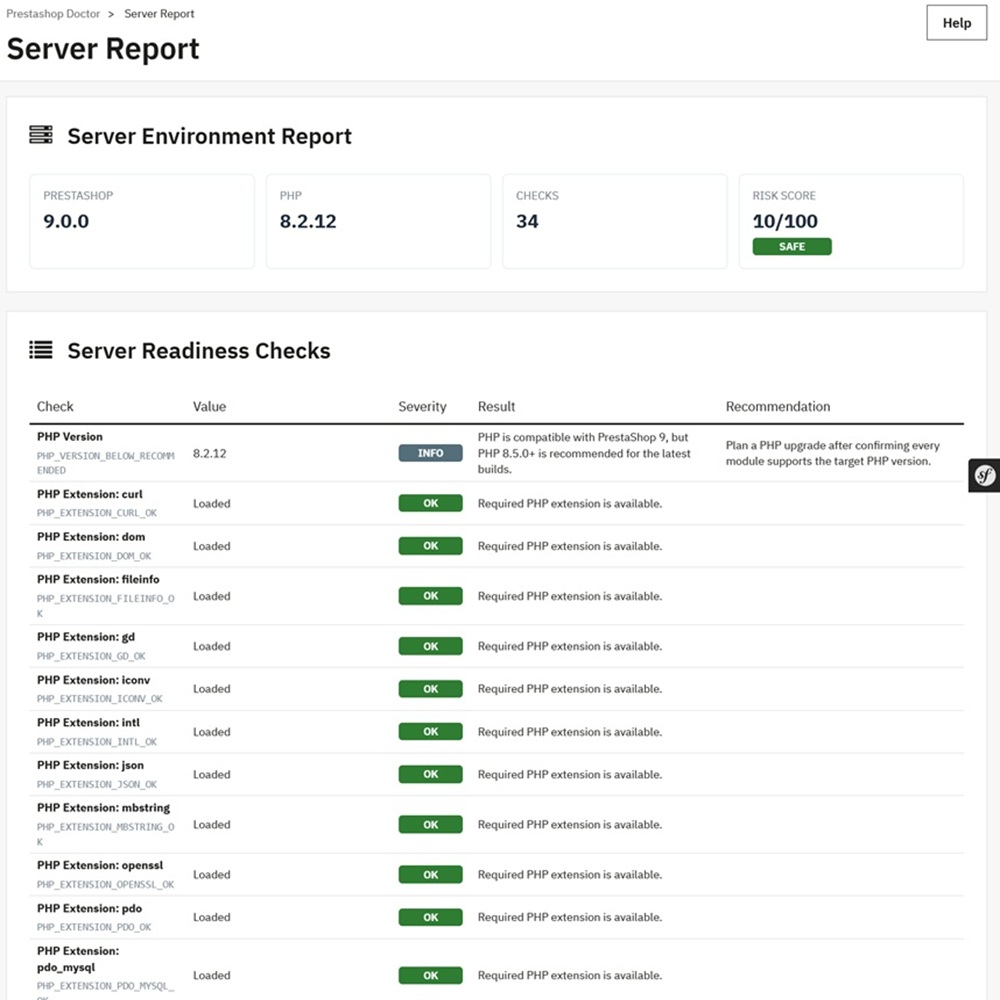
Before making any changes, Shop Doctor audits your environment against modern PrestaShop requirements. It checks:
- PHP version and required extensions.
- Memory limits and execution times.
- Directory permissions (writable folders) and SSL status.
- Database versions and Composer autoload states.
Each check explicitly details the Current Value, Severity Level, Result, and a Clear Recommendation for fixing deficiencies.
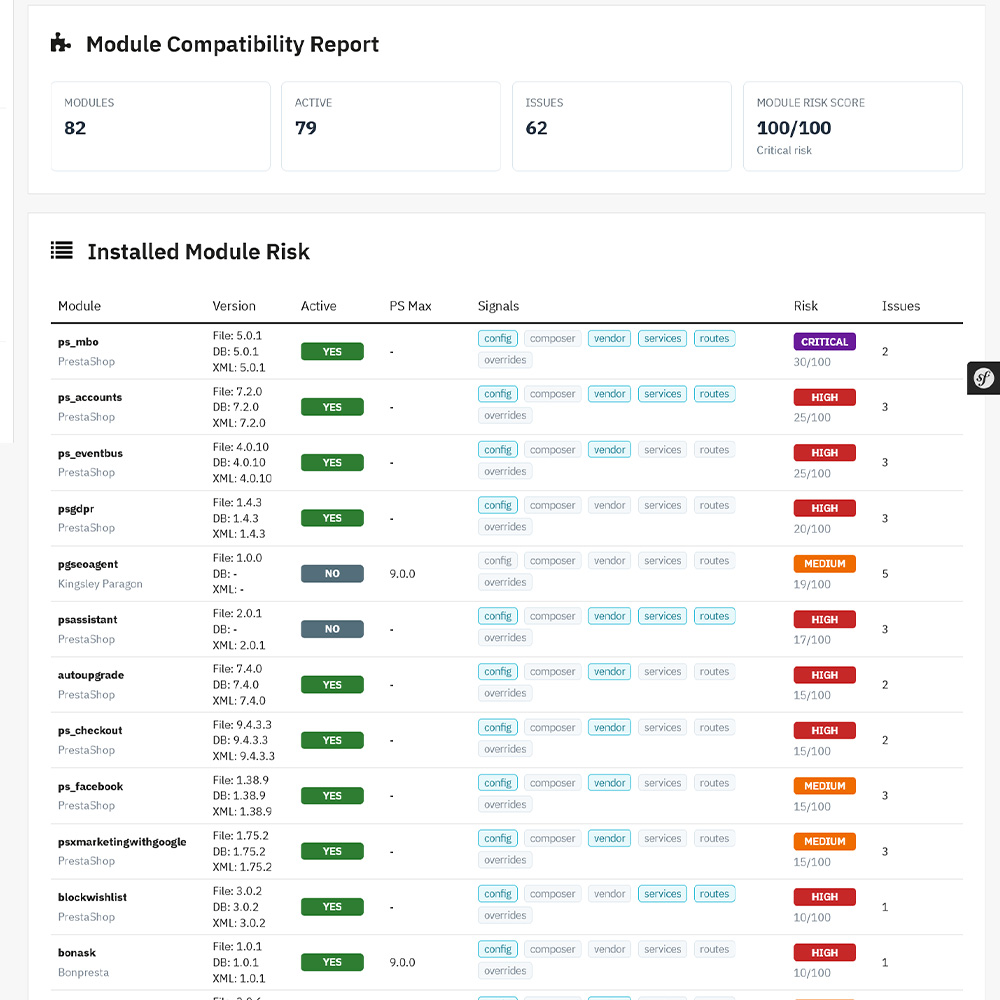
3. Module & Theme Compatibility Scanners
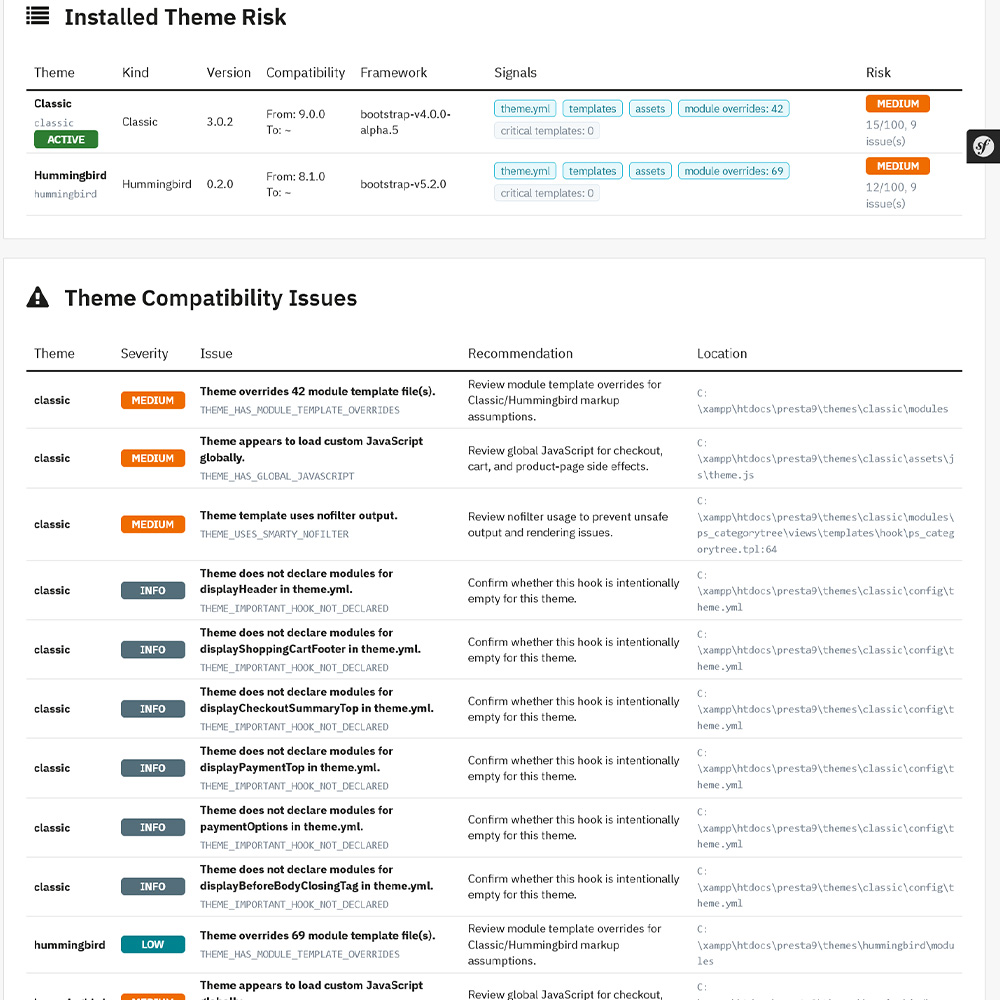
The module and theme scanners drill deep into your custom and third-party code. It flags dangerous patterns like deprecated PHP usage, legacy controller patterns, missing hook declarations, global JavaScript loading issues, and Smarty nofilter vulnerabilities. It separates the safe elements from those needing developer review.
4. File Integrity Tracker & Track Keeper
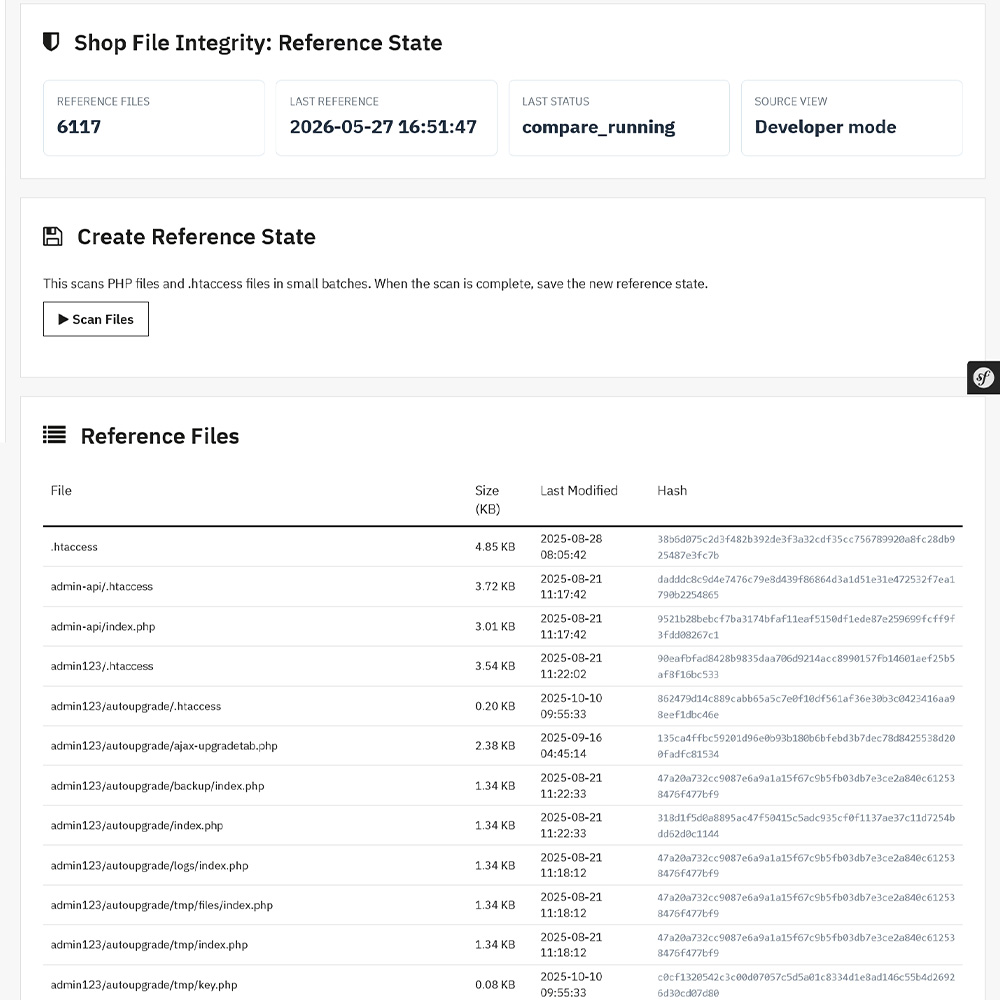
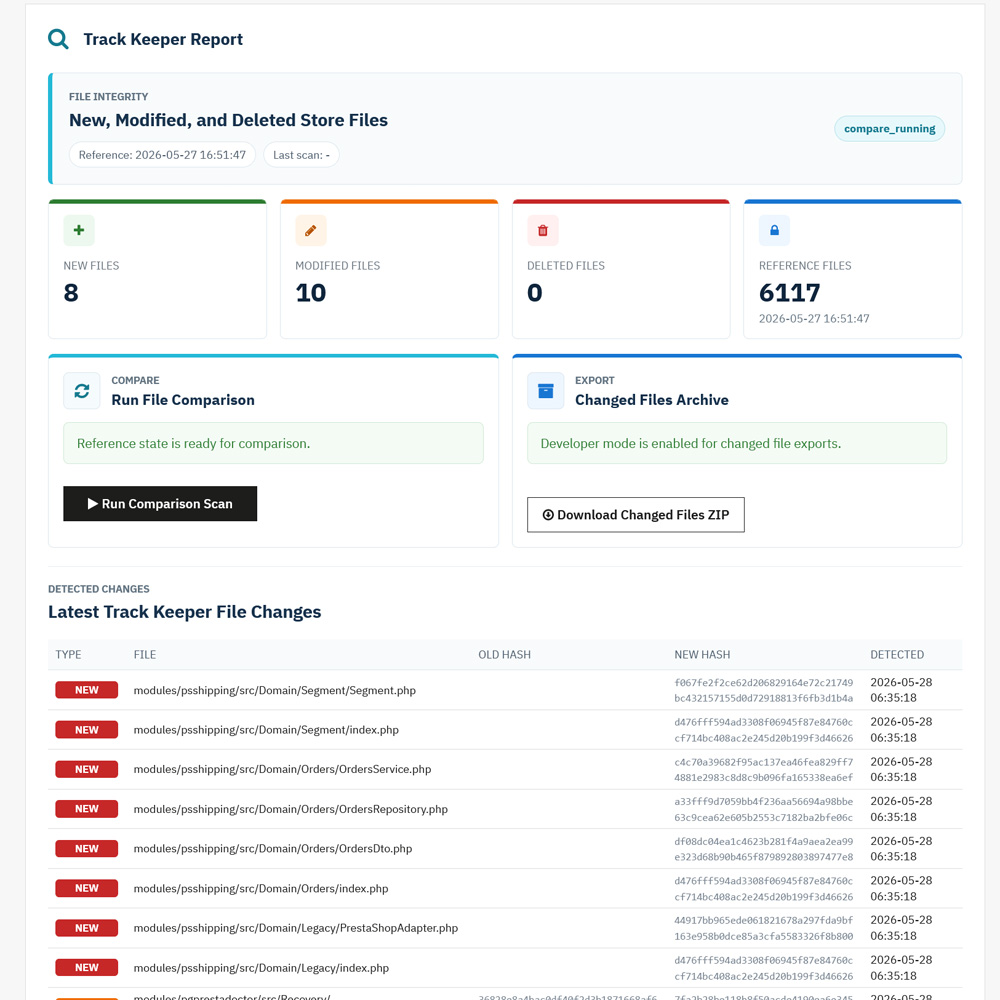
This feature creates a trusted reference state (a snapshot) of your clean shop files. Future scans are compared against this reference state to instantly catch:
- New or unexpected files.
- Modified or deleted core files.
- Altered file hashes (vital for security auditing).
5. Emergency Recovery Center & Upgrade Guard
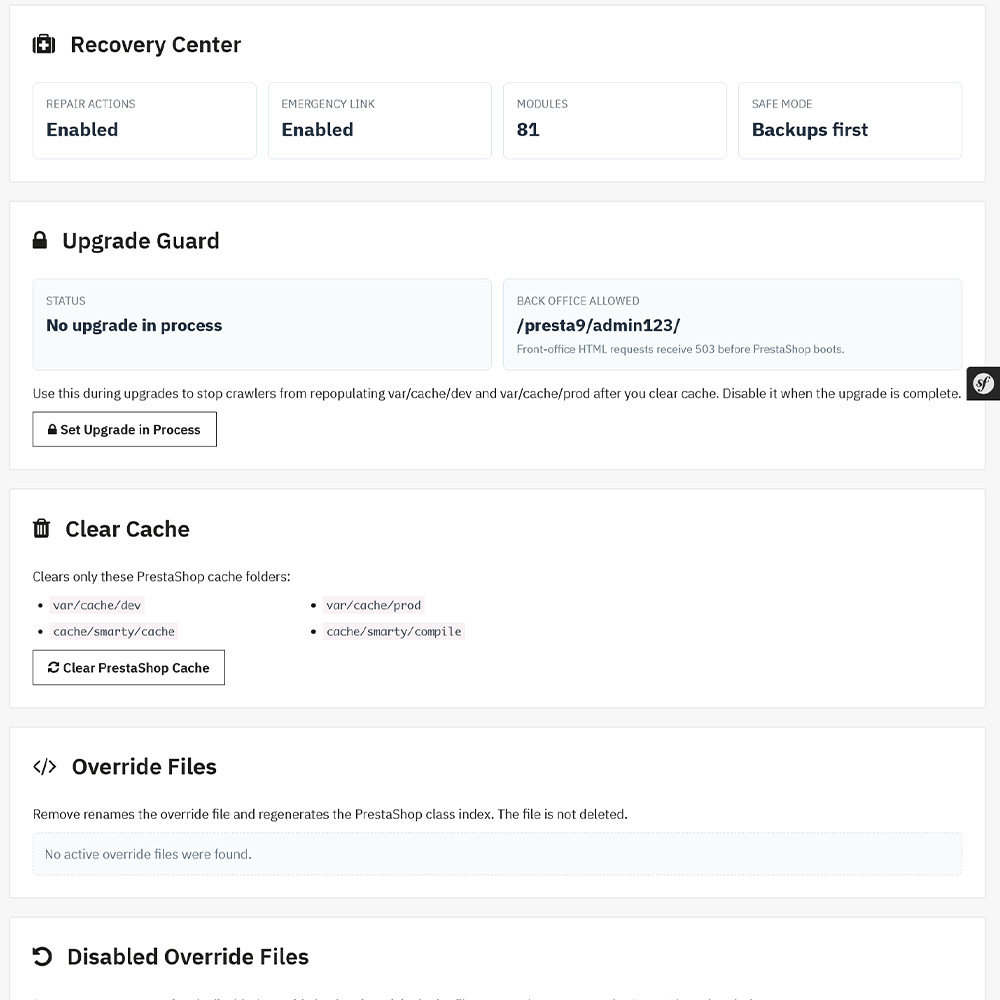
If an upgrade or bad module takes your shop down, the Recovery Center offers a pathway out of the dark—even if the standard PrestaShop back office becomes inaccessible via a standalone emergency endpoint. Tools include:
- Clearing the PrestaShop cache safely.
- Disabling problematic modules or handling override files cleanly.
- Upgrade Guard: Protects the shop during maintenance by blocking crawlers or front-end requests from repopulating cache folders while work is underway.
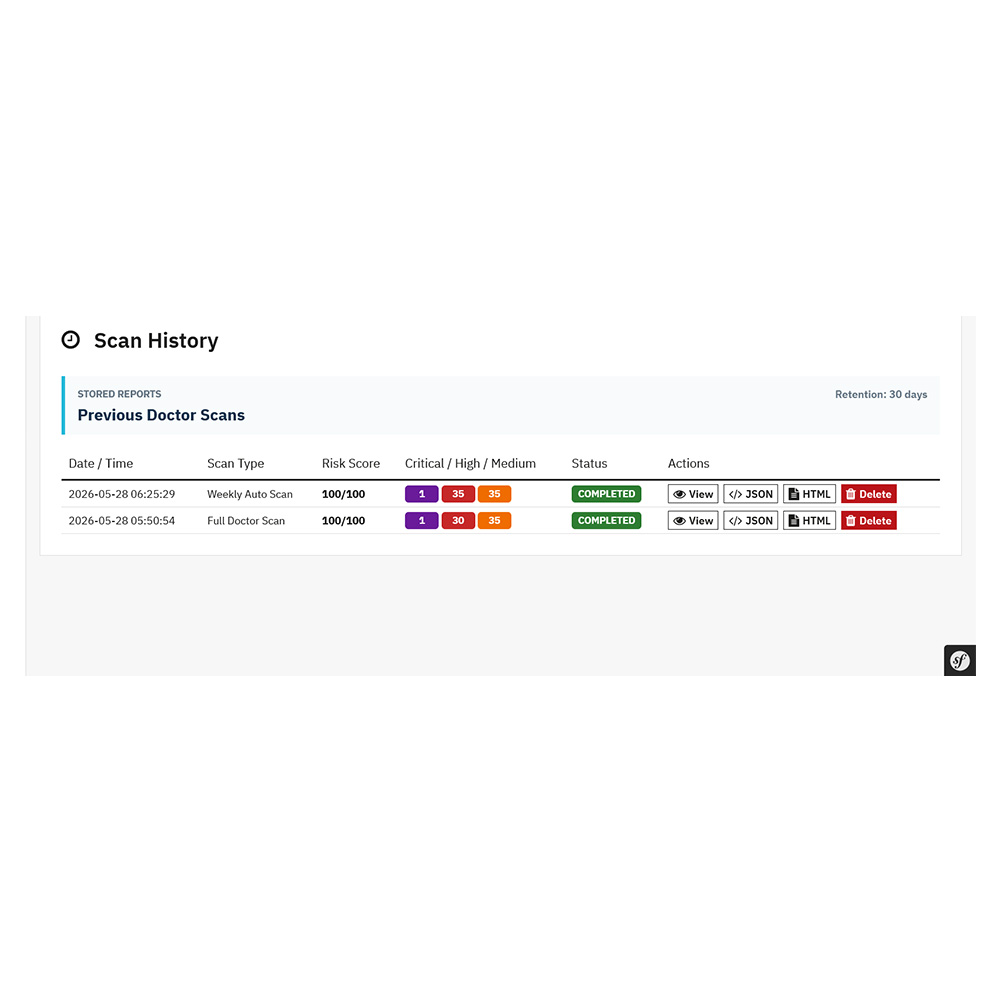
6. Scan History, Automation, and Secure Reporting
- Cron Monitoring: Automate scans weekly or on a custom schedule.
- Email Alerts: Get direct notifications whenever file changes or new errors are detected.
- Sensitive Data Masking: Safely mask internal database credentials or sensitive paths before exporting reports (HTML, JSON, PDF, or Support ZIPs) to share with external agencies or developers.
Who Needs This Module?
| User Profile | Primary Benefit |
|---|---|
| Store Owners | Avoid sudden downtime, secure store files, and protect revenue during updates. |
| Agencies & Developers | Safely prepare client sites for PrestaShop 9 and keep proof of store health before/after handoff. |
| Technical Support Teams | Rapidly diagnose broken shops, isolate buggy modules, and execute emergency recoveries. |
Best Practices for a Seamless PrestaShop Upgrade
To get the absolute most out of Shop Doctor, build these steps into your standard maintenance workflow:
- Run a Full Scan First: Always run a comprehensive health scan before clicking “Upgrade” on any core file or major module.
- Triage High & Critical Risks: Address server environment gaps and deprecated module warnings before making changes.
- Snapshot Your Files: Create your trusted file reference point when the store is stable so you can instantly detect post-update anomalies.
- Isolate Emergency Credentials: Keep your standalone emergency recovery endpoint details stored safely outside your primary website database.
- Backup Obligation: Shop Doctor is an advanced diagnostic and recovery framework, but it does not replace routine safety protocols. Always perform a complete database and file backup before conducting repairs.
Secure Your Store’s Future Today
Don’t wait for a white screen to tell you that a module isn’t compatible with PrestaShop 9. Equip your store with the ultimate diagnostic safety net.
Get the Shop Doctor – Shop Files Integrity Tracker, Compatibility and Recovery Toolkit Module on the PrestaShop Addons Marketplace today and take control of your e-commerce maintenance.




Leave a Comment