

Why your Shopify store is slow and how to fix it
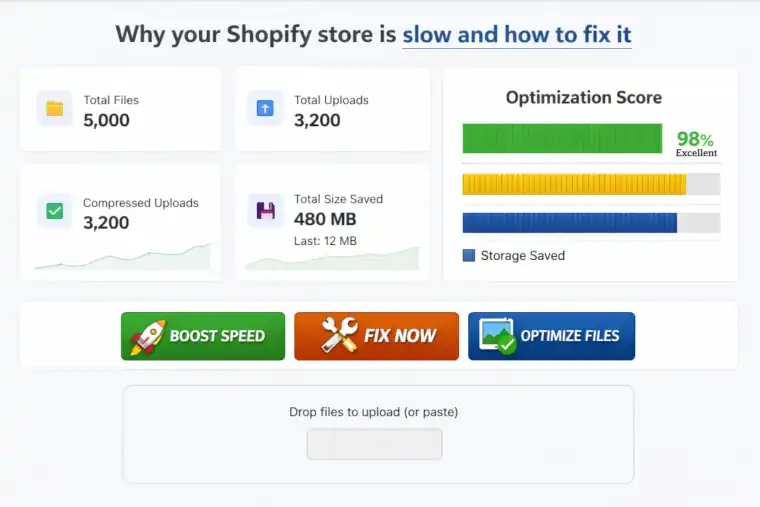
The definitive guide for Shopify merchants who want faster load times, better conversions, and happier customers.
A slow Shopify store is more than an inconvenience—it’s a silent revenue killer. Every extra second your pages take to load increases bounce rates, lowers conversions, and hurts your SEO ranking. In today’s ecommerce landscape, speed isn’t optional. It’s a competitive advantage.
If your Shopify store feels sluggish, you’re not alone. Thousands of merchants struggle with performance issues that creep in over time. The good news? Most speed problems come from a handful of fixable causes.
Let’s break down why your Shopify store is slow and how to fix it quickly and effectively.
🚦 1. Your Images Are Too Large
Images are the #1 cause of slow Shopify stores. High‑resolution product photos, banners, and lifestyle shots look great—but they’re often uploaded without compression.
Why this slows your store
Large images increase page weight, forcing customers’ browsers to download megabytes of data before the page can load.
How to fix it
- Compress images without losing quality
- Convert images to modern formats like WebP
- Remove unused or duplicate images
- Avoid uploading 5–10MB product photos
Tools like NexVault help automate compression and cleanup so your store stays fast without manual work.
Try NexVault → Compress & clean your store’s media automatically
🧱 2. Too Many Apps Installed
Apps add scripts, styles, and background processes. Even when disabled, some apps leave behind code that slows your theme.
Why this slows your store
Every script adds load time. Some apps load external resources, which can delay rendering.
How to fix it
- Uninstall apps you don’t use
- Remove leftover code from uninstalled apps
- Replace multiple apps with all‑in‑one solutions
- Audit your theme for unused scripts
🎨 3. Heavy or Unoptimized Themes
Premium themes often come packed with animations, sliders, and advanced features. These look impressive but can be performance-heavy.
Why this slows your store
Complex themes load more CSS, JavaScript, and media files.
How to fix it
- Disable unused theme features
- Remove unnecessary sections
- Use Shopify’s built‑in speed report to identify bottlenecks
- Consider switching to a lightweight theme if needed
🗂️ 4. Bloated File Storage (Unused & Duplicate Files)
Over time, your Shopify store accumulates:
- Old product images
- Duplicate media files
- Unused banners
- Orphaned files left behind by apps
Why this slows your store
Even though Shopify uses a CDN, bloated storage affects:
- Theme editor performance
- Media loading
- Store backup and sync times
- App performance
How to fix it
Use a file management tool to:
- Detect duplicates
- Clean unused files
- Monitor storage usage
- Keep your media library organized
This is exactly what NexVault was built for—automated cleanup, compression, and optimization.
Clean your store with NexVault → Remove duplicates & unused files
🔌 5. Third‑Party Scripts & Tracking Tools
Marketing tools, chat widgets, analytics platforms, and tracking pixels all add load time.
Why this slows your store
Each script loads external resources, often blocking rendering.
How to fix it
- Remove tools you don’t actively use
- Use Shopify’s built‑in analytics where possible
- Load scripts asynchronously
- Use server‑side tracking when available
🛒 6. Too Many Product Variants or Collections
Large catalogs can slow down:
- Collection pages
- Search results
- Filtering systems
How to fix it
- Use smart collections
- Limit unnecessary variants
- Use apps that optimize large catalogs
⚡ 7. Poor Liquid Code or Theme Customizations
Custom-coded features can unintentionally slow down your store if not optimized.
How to fix it
- Hire a Shopify developer to audit your theme
- Remove outdated customizations
- Use Shopify’s native features instead of custom scripts
🧩 The Fastest Way to Speed Up Your Shopify Store
If you want quick wins without hiring a developer, start with these:
-
Compress all images
Instantly reduces page weight. -
Remove duplicate & unused files
Keeps your store lean and efficient. -
Audit your apps
Remove anything you don’t use. -
Clean your theme
Disable heavy features. -
Use a file optimization tool
Apps like NexVault automate the heavy lifting—compression, duplicate detection, unused file cleanup, and storage monitoring.
Optimize your store with NexVault → Free plan available
🚀 Final Thoughts: Speed = Sales
A fast Shopify store:
- Converts better
- Ranks higher
- Feels more professional
- Keeps customers happy
Most speed issues are fixable in a few hours—and the payoff is huge.
If your store feels slow, start with your media files. Clean them, compress them, and optimize them. You’ll see immediate improvements.
Start optimizing with NexVault today → It’s free to install





Leave a Comment